

Header layout
Every theme lets you choose where the header shows the category menu and the product search. Each theme comes with the layout it was designed with, and you can change it when you install the theme or later.
| Option | Values |
|---|---|
--menu | inline: in the logo row, between the logo and the account linksbelow: on a row of its own under the logo row, under a hairlinebar: in a full-width band under the logo row |
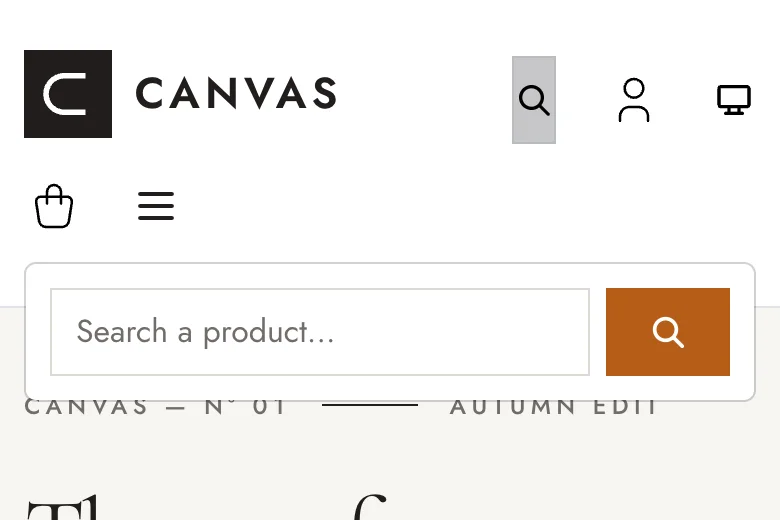
--search | none: no search in the headerinline: in the logo rowbelow: on a row of its own under the logo rowicon: a magnifier in the logo row that opens the search in a dropdown |
On mobile, the menu always opens in an off-canvas panel and the search takes a row of its own under the logo (with
icon, the magnifier stays in the logo row and its dropdown spans the screen width).
| Theme | Menu | Search |
|---|---|---|
| Culture, Depot | below | none |
| Torque | below | inline |
| Drive | bar | inline |
| Every other theme | inline | none |
Drive only supports the bar menu: its aisles bar has a title and a promotion link of its own.
Examples
Section titled “Examples”The header of the Canvas theme on desktop (1440 px), light scheme.
Menu placement
--menu=inline (Canvas default):

--menu=below:

--menu=bar:

Search placement
--search=inline:

--menu=bar --search=below:

--search=icon, dropdown open:

--search=icon on mobile (390 px), dropdown open | --menu=bar --search=inline, dark scheme |
|---|---|
 |  |
Themes with their own search or layout
Drive with --search=icon: its search by aisle, in the dropdown.

Depot with its default layout (--menu=below), then with --menu=inline --search=icon:


Choose the layout
Section titled “Choose the layout”castor sylius:theme:setup canvas --menu=below --search=inlineTo change the layout of the installed theme without reinstalling it (no asset build, only a cache clear):
castor sylius:theme:header # shows the current layoutcastor sylius:theme:header --menu=bar --search=belowcastor sylius:theme:header --search=none --theme=cellar # a theme installed with --target=theme-bundleWith the theme-bundle target, each theme keeps its own layout, so each channel gets the layout of its theme.
The inline search next to an inline menu suits short menus: with many categories, the menu links wrap on two
lines. Prefer below or bar for the menu then.
How it works
Section titled “How it works”The layout is shared by every theme (src/Themes/header_layout/, installed by OpenColibri\Starter\Themes\HeaderLayout,
like the color schemes):
- the options are Twig hook configuration, generated in
config/sylius/twig_hooks/shop/base/header_layout.php(inconfig/sylius/twig_hooks/themes/<theme>/with the theme-bundle target, prefixed with the theme): do not edit it, usecastor sylius:theme:header; - the
themes_header_layouthookable adds theheader-menu--<menu>andheader-search--<search>classes to the page wrapper (sylius_shop.base#body_classes); _header-layout.scss, imported at the root of each themeapp.scss, lays the header row out from these classes, once for every theme. The menu column of each theme carries theheader-category-navclass;- the
themes_header_searchhookable (sylius_shop.base.header.content, priority 240, disabled withnone) rendersshop/shared/layout/header_layout/search.html.twig: aheader-searchcolumn, or withicona Bootstrap dropdown (like the color scheme switcher) whose field gets the focus when it opens. Both holdsearch_form.html.twig, a search on the whole catalogue through the product listing of the channel menu taxon, which includes its descendants.
A theme styles the menu and the search like the rest of its header, and only adds rules for a placement it wants to
look different (.header-menu--below .<theme>-category-nav…). To replace the search form, a theme ships
templates/shop/shared/layout/header_layout/search_form.html.twig (it gets an id for the field), which then works
in every placement: Torque reuses the search form of its hero, Drive its search by aisle.